A free tool for transferring Android files
Samsung USB Driver For Mobile Phones is a free file manager program that allows you to connect your Android phone to your computer, and lets you seamlessly transfer files and sync data. It’s an extremely handy tool whenever you want to back up important and sensitive information onto your PC.
Top Recommended Alternative

One of the most useful programs out there for Android users, the Samsung USB Driver for Mobile is available on PC, and it’s completely safe to use as the website from which you can download the driver is officially owned by Samsung, so you can definitely expect a malware-free experience.
Safely back up files and data
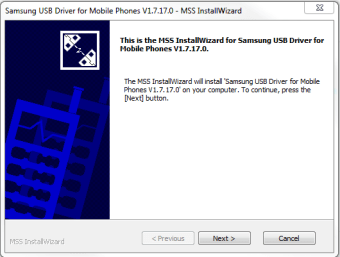
The Samsung USB Driver For Mobile Phones is an Android user’s essential tool for transferring, syncing, and backing up files onto a computer. It connects your Android phone to your computer without any issues at all. The driver itself is capable enough to provide speedy performance and smooth optimization, as well as a simple installation process for new users to understand.
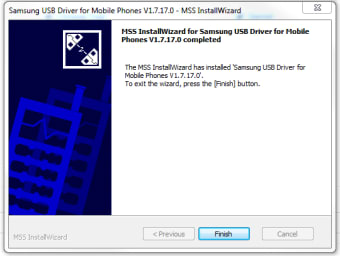
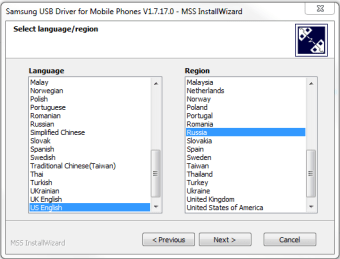
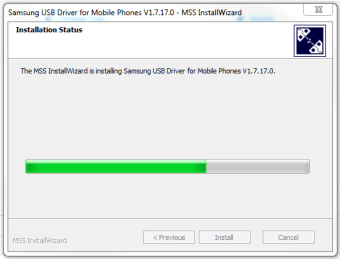
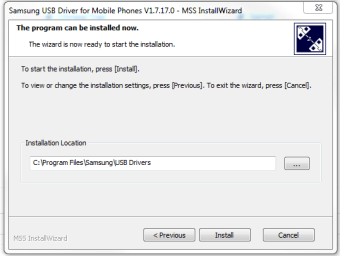
As mentioned, setting the driver up is straightforward. Just follow some short installation steps, select the language and region, and then it should be ready. You will just need to connect your Android phone via a USB cable. The downside of using this tool is that it isn’t frequently updated by Samsung, so whenever you encounter an unknown issue, expect it to be fixed after a few months or more.
On a more positive note, the driver is completely free to download on Samsung’s developer website — which is an official site by Samsung — meaning that it is relatively safe to get and does not come with any virus or malware that may harm your computer or your mobile phone, definitely a great pickup for those worried about getting their personal devices borked.
A powerful driver for efficient syncing
Overall, the Samsung USB Driver For Mobile Phones is a must-have tool for Android users who are looking for a fast, safe, and convenient method of backing up their files on their computers. While it isn’t being updated often, the current version is already impressive enough to provide all the necessary features and services it can offer. It definitely is one of Samsung’s smartest tools yet.